Load Balancing Azure Container Instances with Envoy
Azure Container Instances are a very convenient and easy-to-use but do have limitations that, sometimes, make them unsuitable for some…
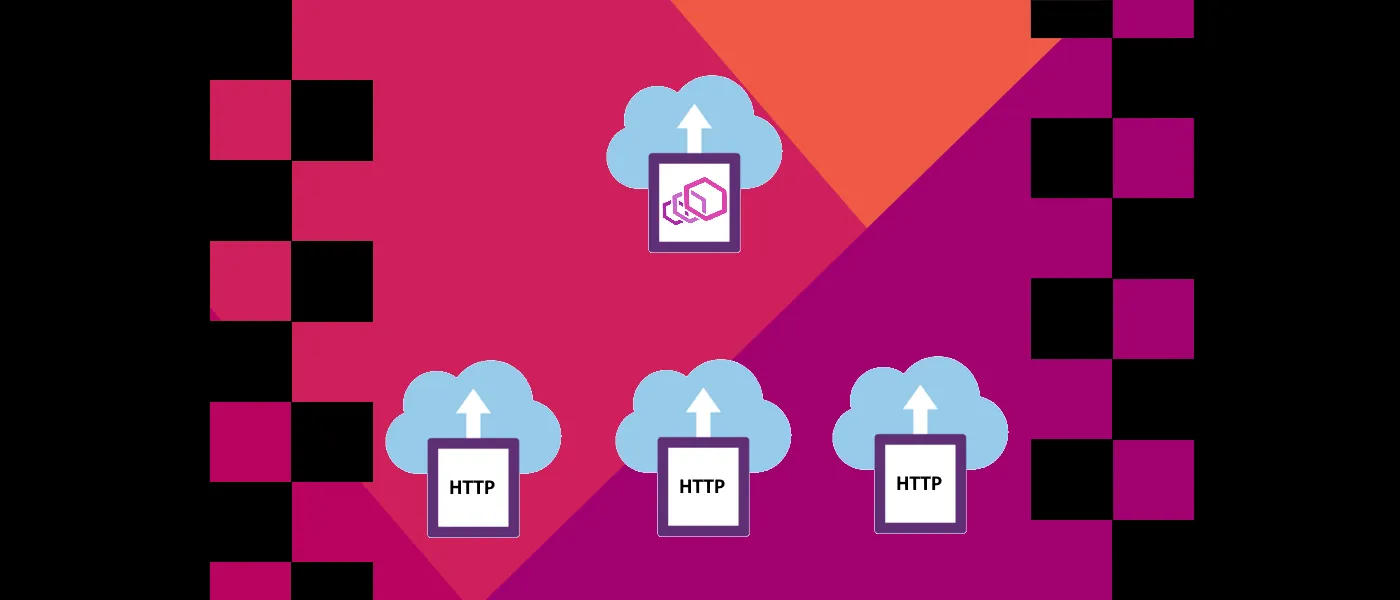
Azure Container Instances are a very convenient and easy-to-use but do have limitations that, sometimes, make them unsuitable for some scenarios. One of those limitations, at least at the writing of this article, is the inability to use an Azure Load Balancer with containers deployed to a private network (public containers can be load distributed with an Azure Traffic Manager).
The Alternative — Envoy
To overcome the Azure Load Balancer’s limitation work with Azure Container Instances, an additional container running Envoy can be used to distribute the load between the other backend containers, and this is exactly what this article will be showing.
The Example
The complete Terraform based example, which deploys three backend containers, one Envoy container and an Azure Firewall, can be found in this GitHub repository:
GitHub - ItayPodhajcer/envoy-load-balance-aci
Contribute to ItayPodhajcer/envoy-load-balance-aci development by creating an account on GitHub.
For brevity, I will only cover the areas of the example that specifically handle the creation and configuration of the Envoy container, starting with the template file for Envoy’s configuration. The configuration will define an HTTP listener that routes to a cluster that uses a private DNS record to pull the list of nodes:
static_resources:
  listeners:  - address:      socket_address:        address: 0.0.0.0        port_value: ${port}    filter_chains:    - filters:      - name: envoy.filters.network.http_connection_manager        typed_config:          "@type": type.googleapis.com/envoy.extensions.filters.network.http_connection_manager.v3.HttpConnectionManager          stat_prefix: ingress_lbaci          codec_type: AUTO          route_config:            name: lb_route            virtual_hosts:            - name: lb_service              domains: ["*"]              routes:              - match: { prefix: "/" }                route: { cluster: lbaci }          http_filters:          - name: envoy.filters.http.router
  clusters:  - name: lbaci    connect_timeout: 0.25s    type: STRICT_DNS    lb_policy: ROUND_ROBIN    load_assignment:      cluster_name: lbaci      endpoints:      - lb_endpoints:        - endpoint:            address:              socket_address:                address: ${host_record}                port_value: ${port}
Next, a Terraform module that uses that template file and creates an Envoy container, receiving the port and DNS host record:
locals {  config_file_path = "/etc/proxy.yaml"  envoy_config = templatefile("${path.module}/config.tmpl", {    host_record = var.host_record    port        = var.port  })  echo_config_cmd = "echo '${local.envoy_config}' > ${local.config_file_path}"  envoy_cmd       = "/usr/local/bin/envoy -c ${local.config_file_path}"}
resource "azurerm_container_group" "this" {  name                = "aci-${var.deployment_name}"  location            = var.location  resource_group_name = var.resource_group_name  ip_address_type     = "private"  network_profile_id  = var.network_profile_id  os_type             = "Linux"
  container {    name   = var.deployment_name    image  = "envoyproxy/envoy:v1.16-latest"    cpu    = "0.5"    memory = "1.5"    commands = [      "sh",      "-c",      "${local.echo_config_cmd} && ${local.envoy_cmd}"    ]
    ports {      port     = var.port      protocol = "TCP"    }  }}
Then the root Terraform script can call the above module when deploying the entire solution, which includes (using a few additional module which are also included in the example):
- A private network
- Two subnets, for the containers and one for the firewall
- A private DNS zone
- Three generic backend containers (using Microsoft’s demo container:
mcr.microsoft.com/azuredocs/aci-helloworld) - One Envoy container
provider "azurerm" {  version = "=2.20.0"
  features {}}
locals {  deployment_name   = "envoylb"  location          = "eastus"  zone_name         = "example.com"  nodes_record_name = "nodes"}
# Create resource groupresource "azurerm_resource_group" "this" {  name     = "rg-${local.deployment_name}-${local.location}"  location = local.location}
# Create containers virtual network resourcesresource "azurerm_virtual_network" "this" {  name                = "vnet-${local.deployment_name}-in"  location            = local.location  resource_group_name = azurerm_resource_group.this.name  address_space       = ["10.0.1.0/24", "10.0.2.0/24"]}
resource "azurerm_subnet" "internal" {  name                 = "snet-${local.deployment_name}-in"  resource_group_name  = azurerm_resource_group.this.name  address_prefixes     = ["10.0.1.0/24"]  virtual_network_name = azurerm_virtual_network.this.name  service_endpoints    = ["Microsoft.Storage"]
  delegation {    name = "snet-delegation-${local.deployment_name}"
    service_delegation {      name    = "Microsoft.ContainerInstance/containerGroups"      actions = ["Microsoft.Network/virtualNetworks/subnets/action"]    }  }}
resource "azurerm_subnet" "external" {  name                 = "AzureFirewallSubnet"  resource_group_name  = azurerm_resource_group.this.name  address_prefixes     = ["10.0.2.0/24"]  virtual_network_name = azurerm_virtual_network.this.name}
resource "azurerm_network_profile" "this" {  name                = "np-${local.deployment_name}"  location            = local.location  resource_group_name = azurerm_resource_group.this.name
  container_network_interface {    name = "nic-${local.deployment_name}"
    ip_configuration {      name      = "ipc-${local.deployment_name}"      subnet_id = azurerm_subnet.internal.id    }  }}
# Create private DNS zoneresource "azurerm_private_dns_zone" "this" {  name                = local.zone_name  resource_group_name = azurerm_resource_group.this.name}
resource "azurerm_private_dns_zone_virtual_network_link" "this" {  name                  = "dns-link"  resource_group_name   = azurerm_resource_group.this.name  private_dns_zone_name = azurerm_private_dns_zone.this.name  virtual_network_id    = azurerm_virtual_network.this.id}
# Create load balanced containersmodule "generic_container" {  source = "./modules/generic-container"
  deployment_name     = "${local.deployment_name}-node"  resource_group_name = azurerm_resource_group.this.name  location            = local.location  nodes_count         = 3  network_profile_id  = azurerm_network_profile.this.id  image               = "mcr.microsoft.com/azuredocs/aci-helloworld"  port                = 80}
# Create node A DNS recordresource "azurerm_private_dns_a_record" "this" {  name                = local.nodes_record_name  zone_name           = local.zone_name  resource_group_name = azurerm_resource_group.this.name  ttl                 = 300  records             = module.generic_container.this_ips}
# Create envoy containermodule "envoy_container" {  source = "./modules/envoy-container"
  deployment_name     = "${local.deployment_name}-lb"  resource_group_name = azurerm_resource_group.this.name  location            = local.location  network_profile_id  = azurerm_network_profile.this.id  host_record         = "${azurerm_private_dns_a_record.this.fqdn}"  port                = 80}
# Create firewallmodule "firewall" {  source = "./modules/firewall"
  deployment_name     = "${local.deployment_name}"  resource_group_name = azurerm_resource_group.this.name  location            = local.location  pips_count          = 1  subnet_id           = azurerm_subnet.external.id}
# Create firewall rulesmodule "netowork_rule" {  source = "./modules/network-rule"
  deployment_name     = "${local.deployment_name}"  resource_group_name = azurerm_resource_group.this.name  firewall_name       = module.firewall.this_name  port                = 80  ip_addresses        = module.firewall.this_pips}
module "nat_rule" {  source = "./modules/nat-rule"
  deployment_name      = "${local.deployment_name}"  resource_group_name  = azurerm_resource_group.this.name  firewall_name        = module.firewall.this_name  port                 = 80  public_ip_addresses  = module.firewall.this_pips  private_ip_addresses = [module.envoy_container.this_ip]}
Deployment Testing
Testing our deployment is fairly easy, we can use a browser to send a few requests to the public IP that was created as part of the deployment process, and afterwards, the backend containers’ logs to see the incoming HTTP requests. A more significant load test can be performed with a tool such as Postman, by creating a request and then running it multiple times using the Runner.
Conclusion
The cloud is constantly evolving, but sometimes we need a temporary solution until a managed service is available, in this case, Azure Load Balancer, so it is very important to track release announcements and update our architecture as needed.